Case Study · 01
AI XML Standards Editor
Two AI-driven prototype concepts for a global standards organisation: an XML editor with an AI writing assistant, and a smart search over tagged, machine-readable standards content.
01 Context
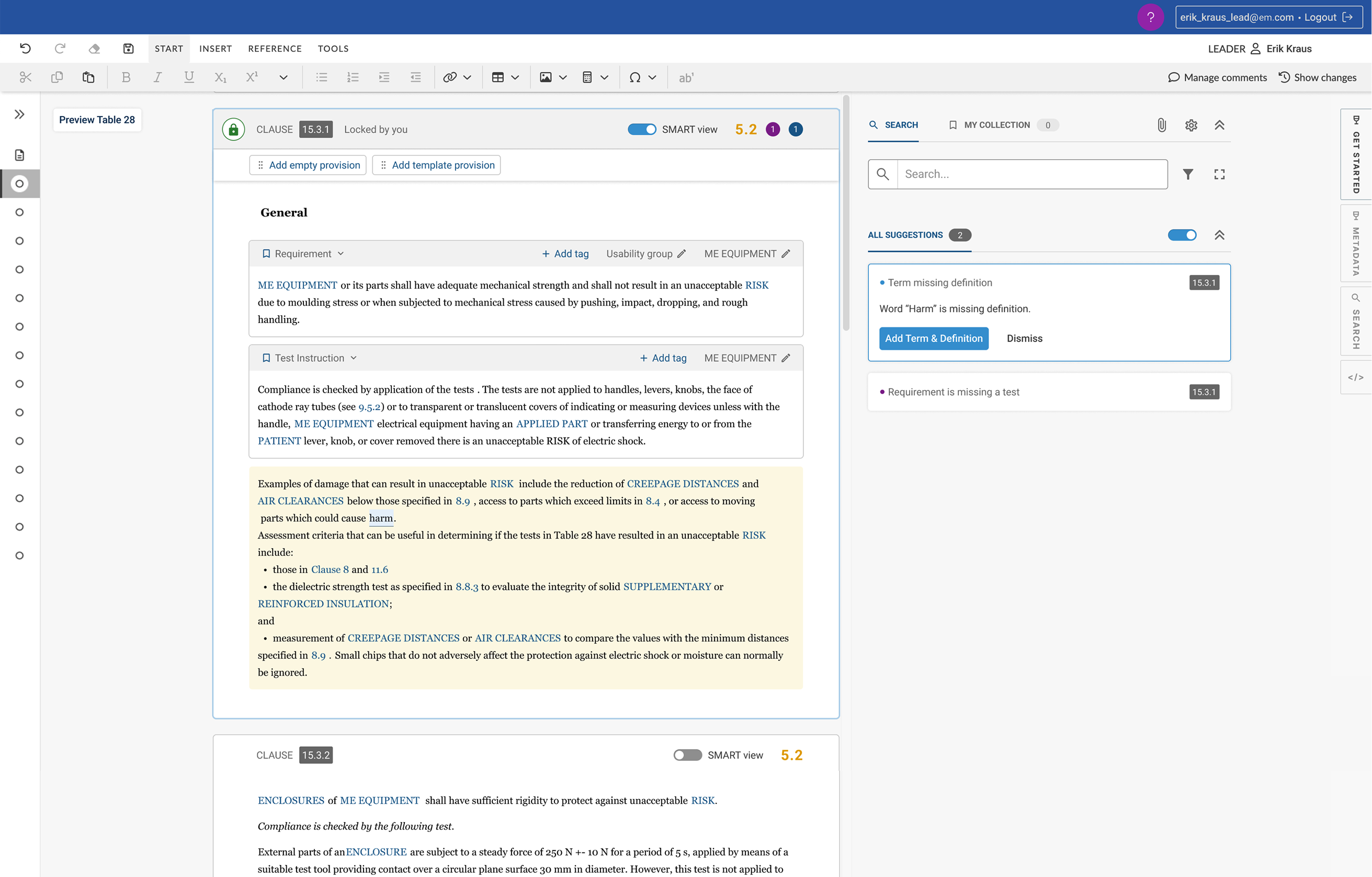
The client is a non-profit organisation that coordinates experts around the world and develops electrotechnology standards. The product is a web-based XML editor where standards authors — engineers and subject-matter experts from different countries and divisions — write, check and reuse structured standard content.
02 Challenge
- 01Create two AI-driven, top-notch prototype concepts suitable for demonstration to a wide audience of investors.
- 02Run two simultaneous discovery phases to bring together and coordinate a diverse audience of stakeholders from different countries and divisions.
- 03Deliver everything in four months, in time for the annual conference.
03 How I got there
- 01Planned and facilitated interviews and workshops with stakeholders, users and subject-matter experts.
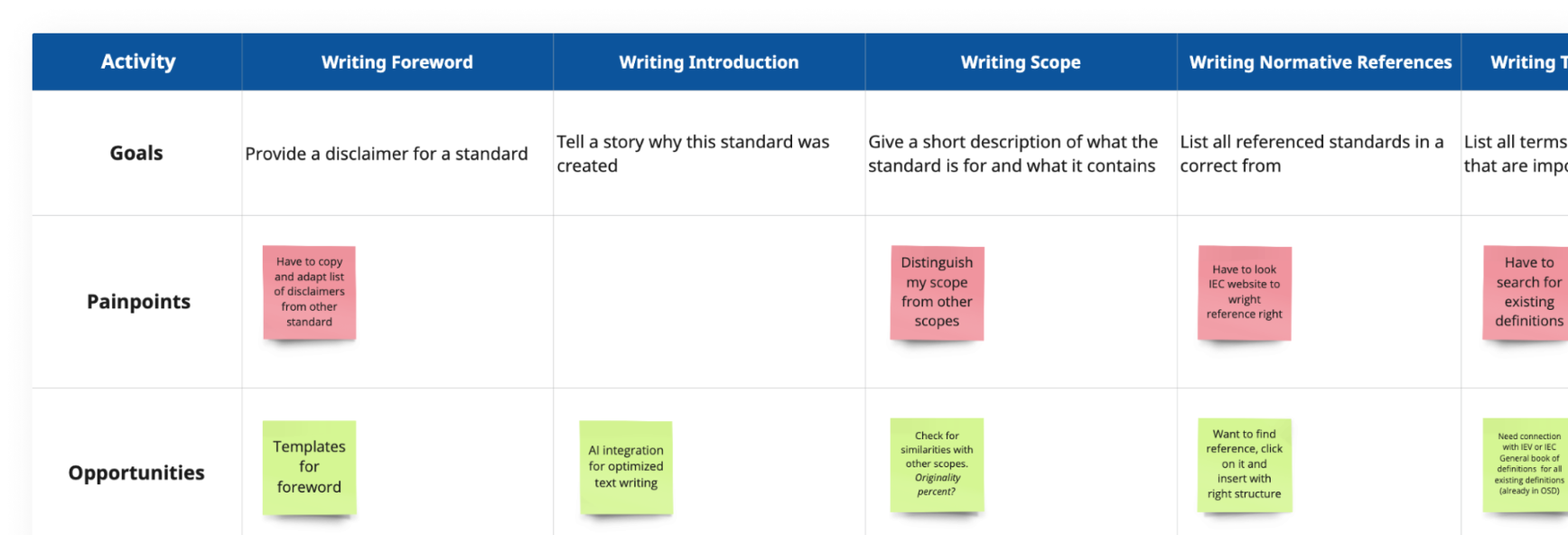
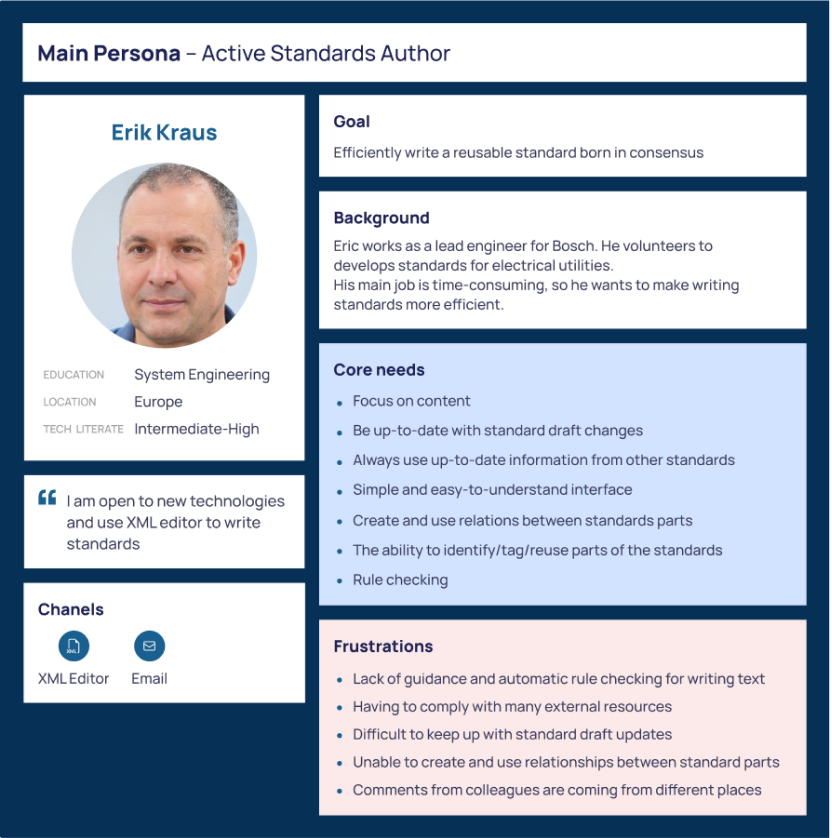
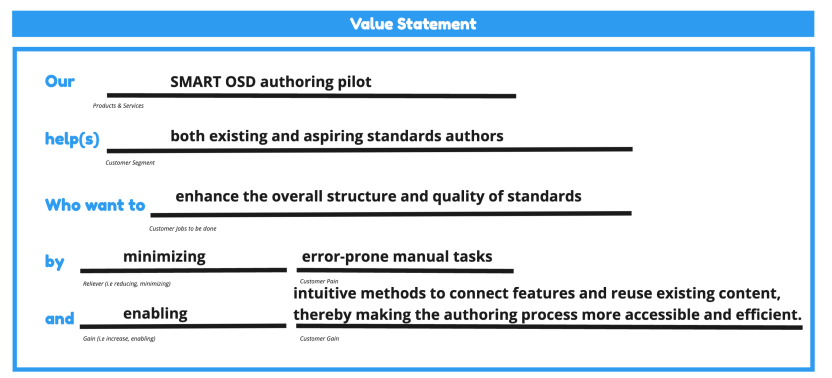
- 02Crafted discovery deliverables: customer journey map, personas and value statement.
- 03Wireframed key takeaways and validated them with SMEs and the client.
- 04Crafted user flows for each user scenario.
- 05Validated ideas through updated mockups with the client and SMEs.
- 06Connected everything into two advanced prototypes with “app-like” interactions.
04 Discovery
Two simultaneous discovery phases with a one-month time frame required understanding user journeys, identifying pain points, capturing user needs and aligning a diversified group of stakeholders with subject-matter experts.
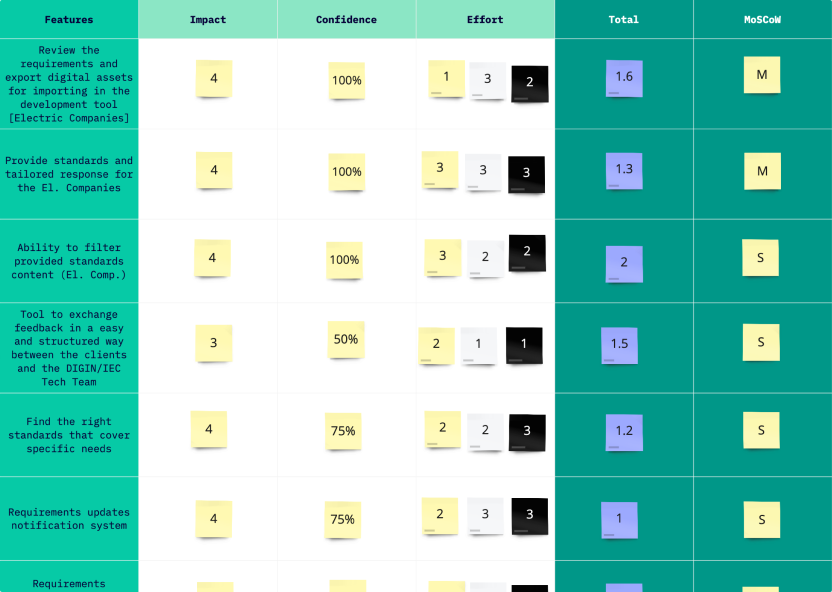
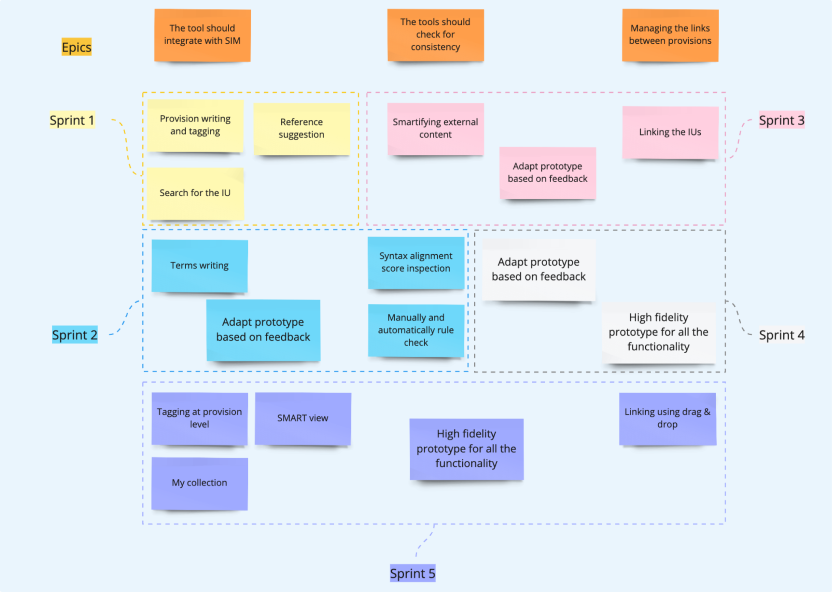
To get there, we conducted 1-on-1 interviews with all stakeholders, users and SMEs. The knowledge gathered was then shaped into deliverables and concluded in a series of workshops with everyone involved: a user persona, a customer journey map, a value statement following the JTBD framework, a feature list prioritized with MoSCoW and ICE scoring, and a story map showing the plan for delivering the final result.
05 Design — two concepts
The result was two highly detailed, interactive prototype concepts — each demonstrable to a wide audience and built with advanced Figma prototyping.
C1 Powerful XML editor with AI
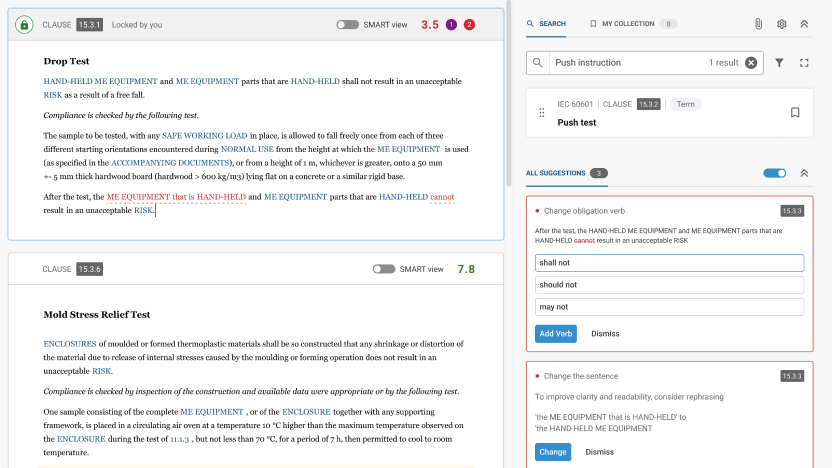
Powerful XML editor with suggestions
The first concept is an editor for standards writing that provides suggestions and corrections directly in the workflow.
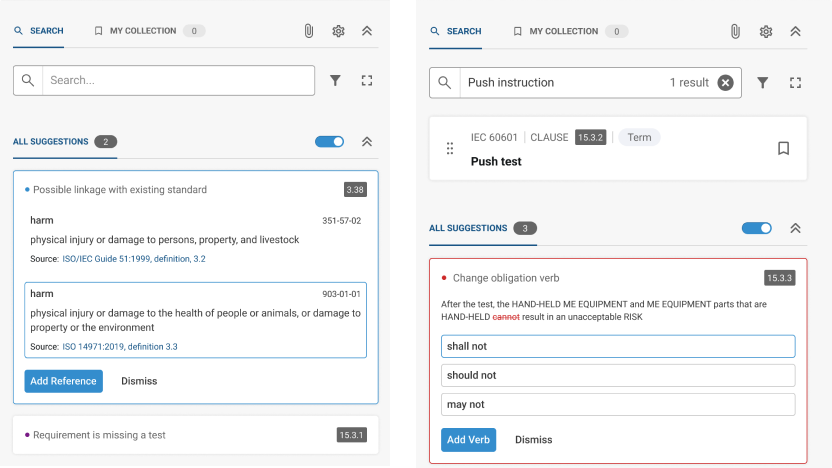
AI-driven assistant
Based on standards writing requirements and thousands of written standards, the AI model helps authors create unified, consistent standards.
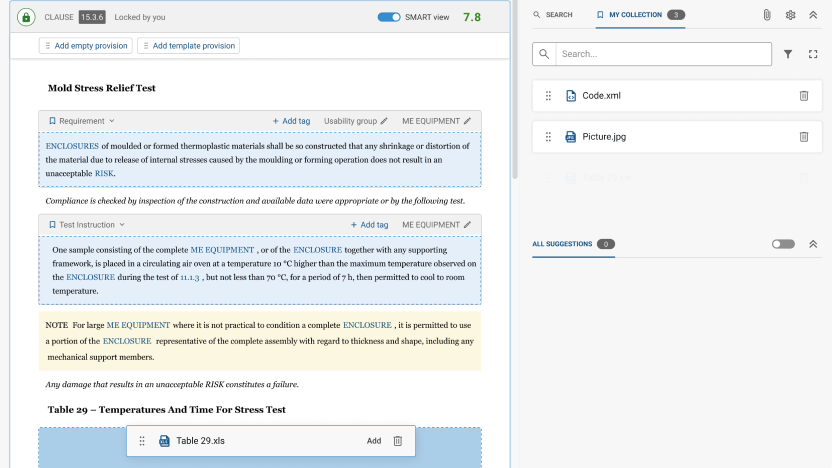
Writing in machine-readable format
The AI also identifies and tags imported files automatically, allowing easier notation for components of the standard.
C2 Smart search & tailored content
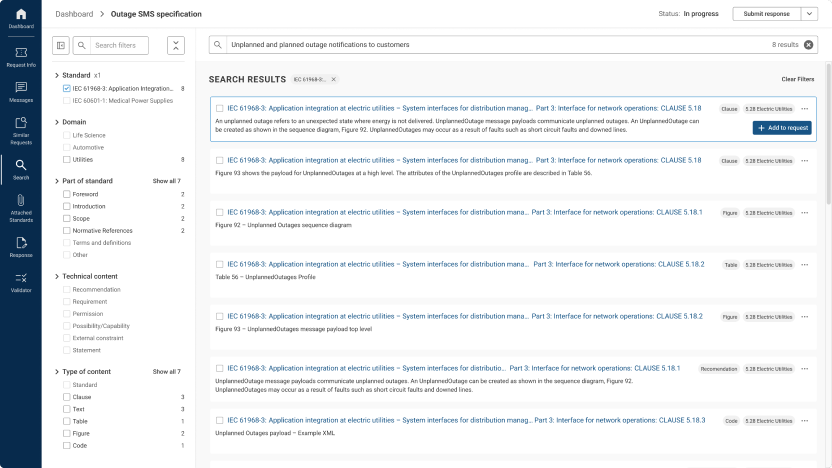
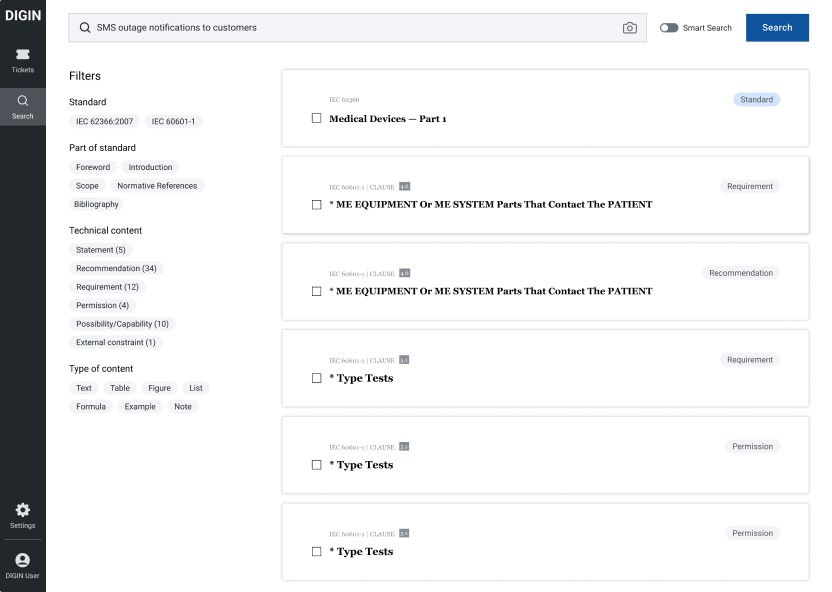
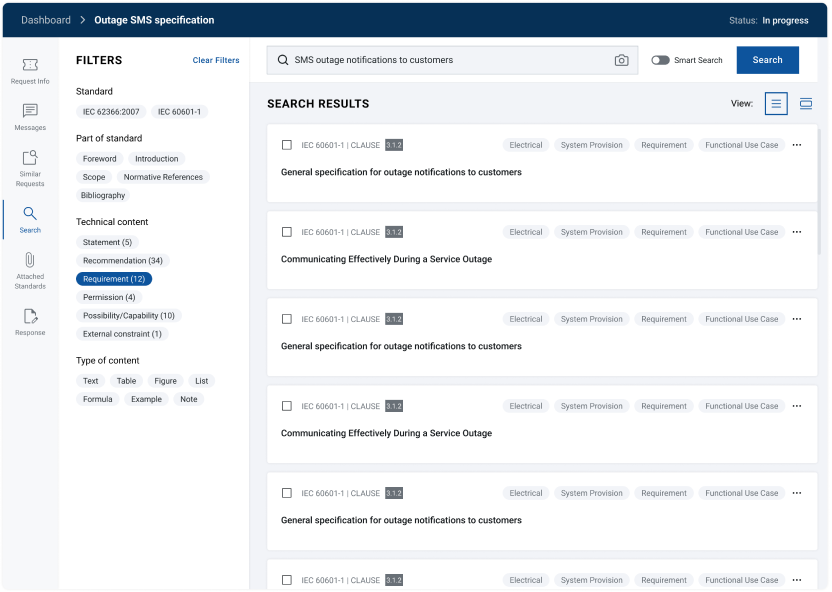
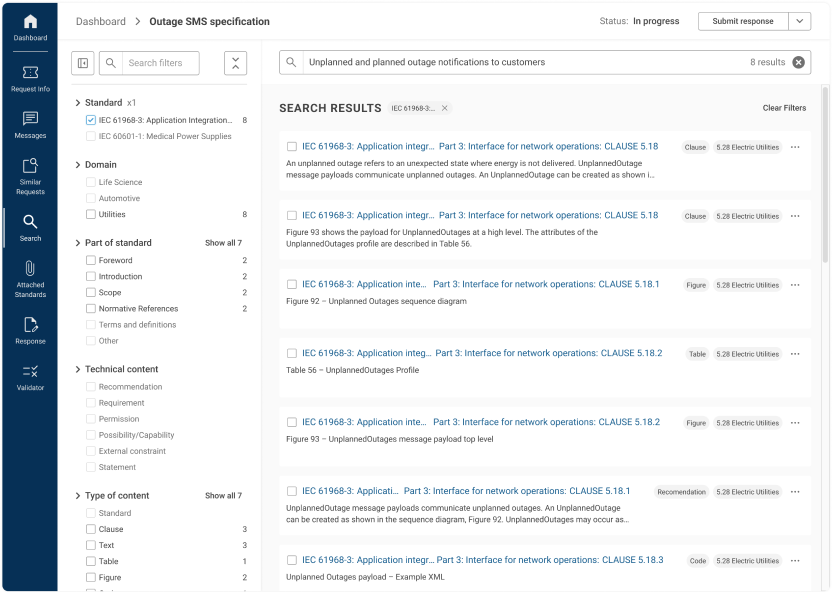
Precise search of standards
The second concept benefits from tagged and notated standards to achieve a more precise and easy search for requirements.
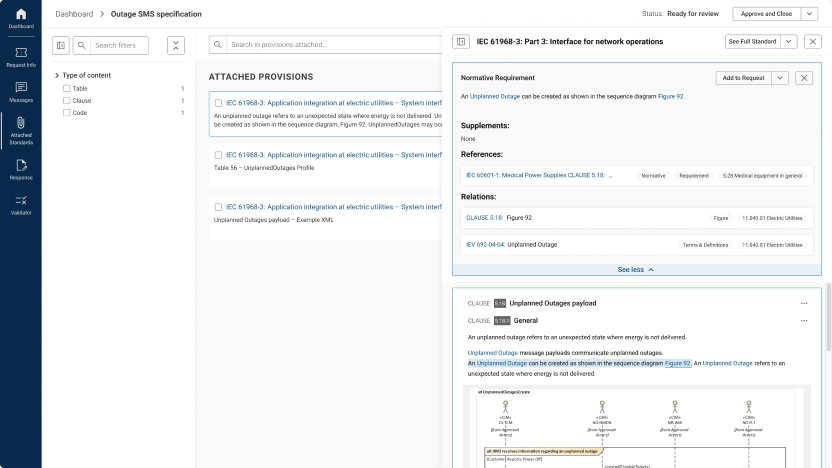
Quick preview of standards content
Users don’t want to read the full standard text. Smart search finds specific requirements and lets them preview the content right in the app.
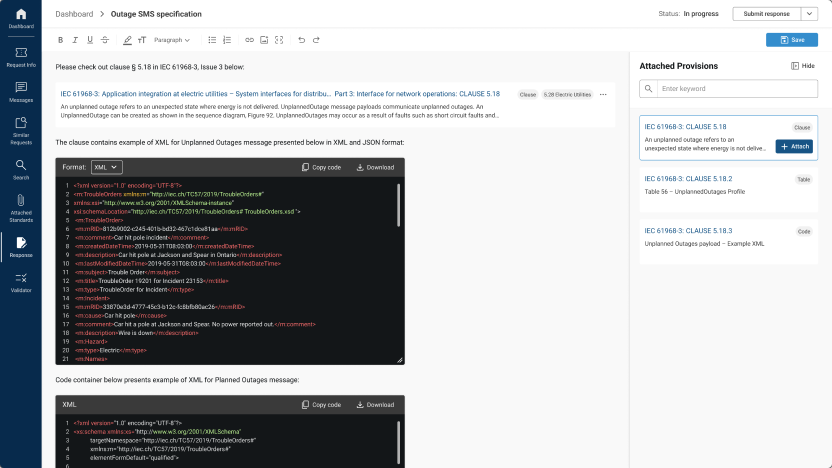
Editor for tailored requirements
An editor that presents standard content tailored to the task — sometimes including code — and provides annotations for users.
06 Design progression
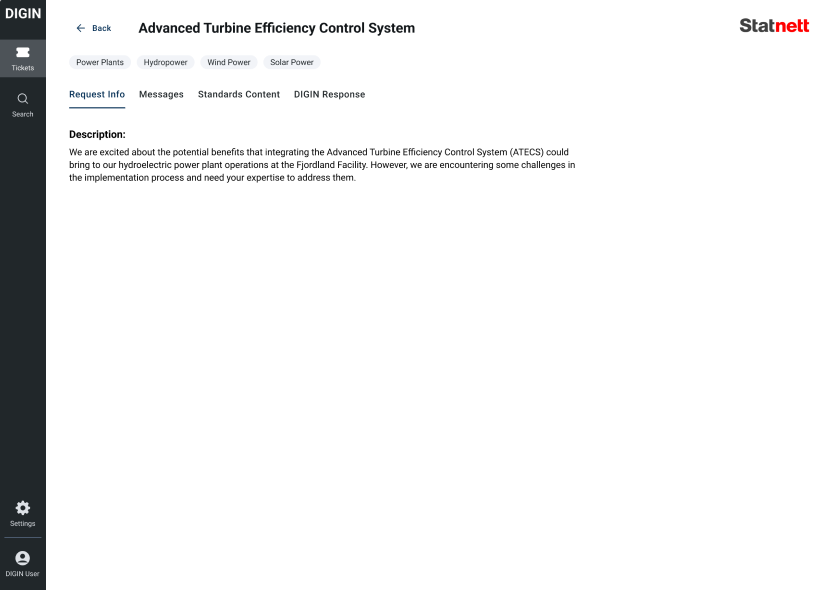
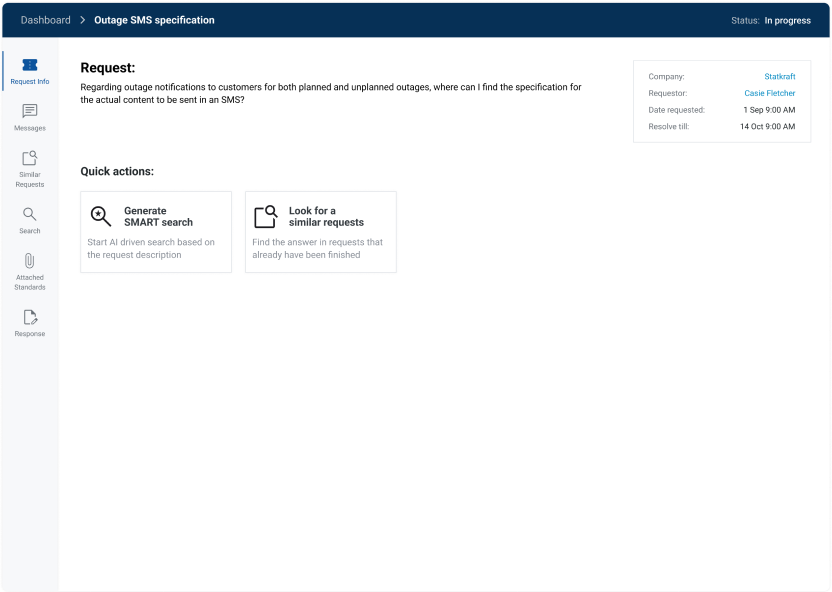
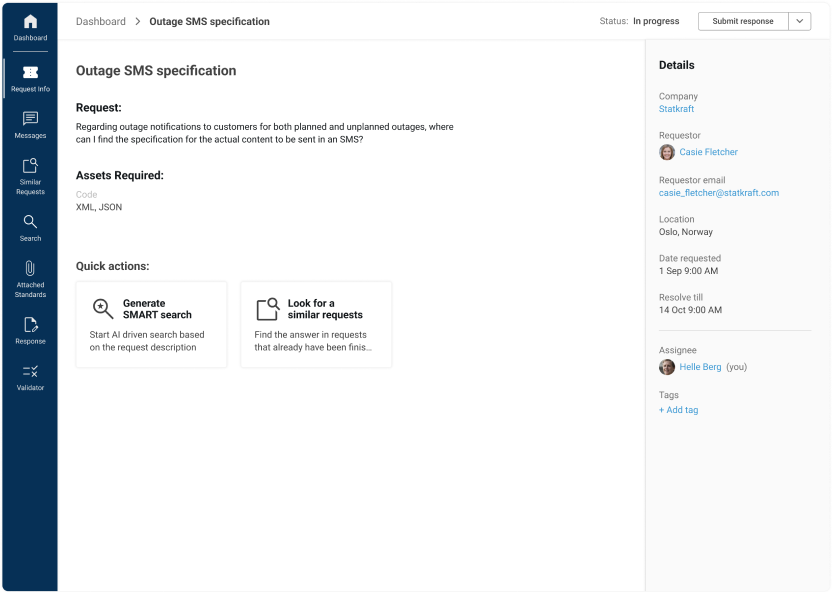
For projects with tight schedules and unclear requirements, it pays to start with wireframes of higher fidelity than paper sketches. The second winning strategy is to iterate as frequently as possible — ready-to-use UI kits make that easier and faster.
Stage 01 · Wireframes
Stage 02 · Intermediate mockups
Stage 03 · High-fidelity mockups
07 Outcome
Two highly detailed, interactive prototypes were delivered using advanced Figma prototyping — all within the four-month deadline.
The result exceeded the client’s expectations and contributed to a successful conference. The client then started a new project with my company.
08 What I learned
- 01With a tight schedule, start with high-fidelity wireframes instead of paper sketches and lean on ready-to-use UI kits to iterate faster.
- 02Two parallel discovery phases work when 1-on-1 interviews feed into joint workshops — that’s where a diverse stakeholder group actually aligns.
- 03When AI writes alongside an expert, suggestions must be explainable and dismissible — that’s what builds trust with subject-matter experts.